
How to Search Cases by Name
Sort out the court first. Felonies and major civil cases go to Common Pleas General Division. Domestic Relations keeps its own clerk. The Municipal Court handles traffic, misdemeanors, civil matters, and small claims on a separate track. Pataskala Mayor's Court offers a public docket search. Granville and Reynoldsburg run theirs through city court channels. Picking the right court up front saves you a headache. Otherwise you may think a name search came up empty. It really just asked the wrong docket keeper.
The Common Pleas records-search landing page asks you to accept terms first. Then it forwards you to the court-linked search. Treat the downstream search fields with fresh eyes once you arrive. Assume nothing about wildcard rules, case-type filters, or how a name field behaves. Wait until you see the screen yourself.
- Use the notice, citation, or filing to identify the exact Licking court and division.
- Open the official court-linked search or call the clerk when the local field labels are not published.
- Enter only the information the chosen court search requests and review its terms.
- Open a matching result and verify court, filing date, case type, status, and the newest docket entry.
- Use direct clerk access when a search result does not answer a document, date, or certification question.
| Current Common Pleas entry item | Type | What is verified |
|---|---|---|
| “Yes, I agree” terms acceptance | Button | Required before the official landing page forwards to the remote search. |
| Downstream case-search fields | Interactive fields | Not published in a verified capture; exact labels, filters, and result limits should not be stated. |
| Remote scope | Portal notice | Available General, Domestic, and Fifth District records are described by the clerk. |
Licking County Court-First Case Lookup
Think of the county's court structure as a map rather than one shared case-search database. Common Pleas remote access is broad. It can reach General Division, Domestic Relations, and Fifth District Court of Appeals materials. The Municipal Court runs on an independent Civica path. Mayor's Courts keep their own local records. Probate-Juvenile offers another division-level route with tight access limits on juvenile material.
| Case type or venue | Search starting point | Fallback |
|---|---|---|
| Common Pleas General or Domestic | Clerk’s court-linked remote search | Relevant Common Pleas Clerk division |
| Municipal traffic, misdemeanor, civil, small claims | Municipal Court Civica entry | Municipal Clerk |
| Pataskala Mayor’s Court | Public docket search | Mayor’s Court Clerk |
| Granville or Reynoldsburg Mayor’s Court | City court route | City clerk |
| Older Common Pleas material | Archives research | Clerk for certification |
The Ohio Supreme Court's eStats service publishes court statistics, not a statewide public case lookup. No statewide trial-court case portal exists for Licking County.
How to Search by Case Number
A case number works best in the system of the court that issued it. The Common Pleas online cost-payment search shows a format. It uses a four-digit year, two letters, and a five-digit sequence: 2025CV00125. That example comes from a payment and cost-search screen. Not every Common Pleas case follows the same pattern. The same goes for older files, Municipal cases, or Mayor's Court tickets.
Type the number exactly as the court notice prints it. If nothing comes back, confirm the court and division. Do that before swapping digits or guessing a case type. A number may belong to an older series or a different Licking court. A clerk can sort out which record channel fits.
Licking County Payment Search Fields
The Common Pleas online payment search publishes fields aimed at cost-payment questions. It is not the case-record search. It offers several ways to locate an eligible payment record, but a docket hunter should use the clerk's current records route instead.
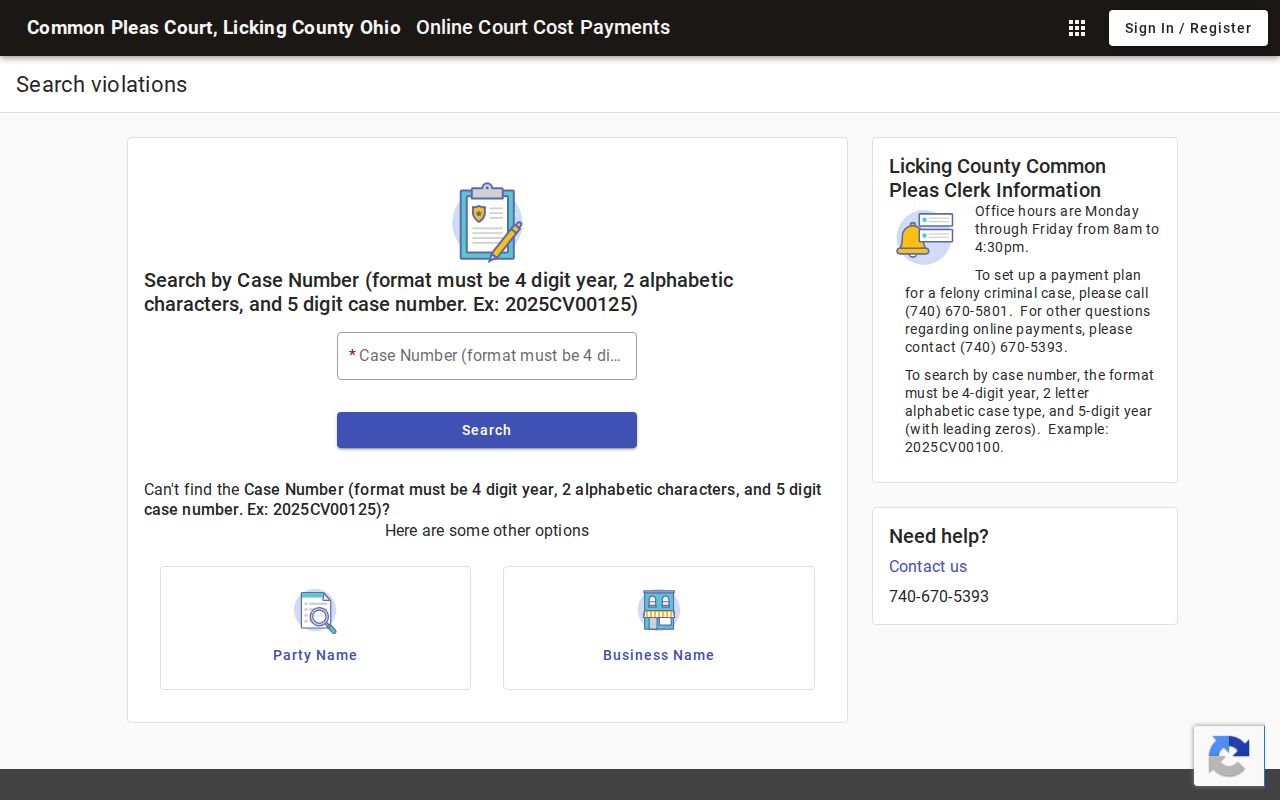
The official view draws the line between payment lookup and case-record lookup. That separation keeps a Licking case search pointed at the correct court record.
| Published payment search path | Information shown | Caution |
|---|---|---|
| Case Number | Example format YYYYAA##### | Payment/cost channel only |
| Party name | First and last name with date-of-birth display | No verified wildcard instruction |
| Vehicle path | License plate and state | Not a general case docket recommendation |
| DL or SSN path | Displayed with date of birth | Sensitive data is not an appropriate general search recommendation |
What a Case Search Shows
Treat a returned Licking case as a court record, not just a matched name. The court or division tells you which clerk holds the file. The chronology shows filings, service, settings, orders, and current status. Common Pleas remote access may include dockets and pleadings made public under law. That scope has limits, though. It never promises that every document image, exhibit, or sensitive filing is online.
| Court and division | Shows which local record custodian owns the case. |
|---|---|
| Case number and type | Link the result to the filing or notice being checked. |
| Filing date and status | Give a starting point for the case’s current posture. |
| Chronological docket | Lists dates, descriptions, and text for filings and events in the record. |
| Available pleadings | May be remote only where the court rules permit access. |
Licking County Municipal Case Search
The Municipal Court's Authority Web Connect entry has a gate. It asks you to accept its general disclaimer before entering. The start screen offers two choices: "I Accept, Continue Agency Access" and "Make Online Payment (TR/CR), Continue." JavaScript must be enabled. The system also warns you not to use the browser Back button. The detail fields sit behind live case data. So bring a real case number to explore them.
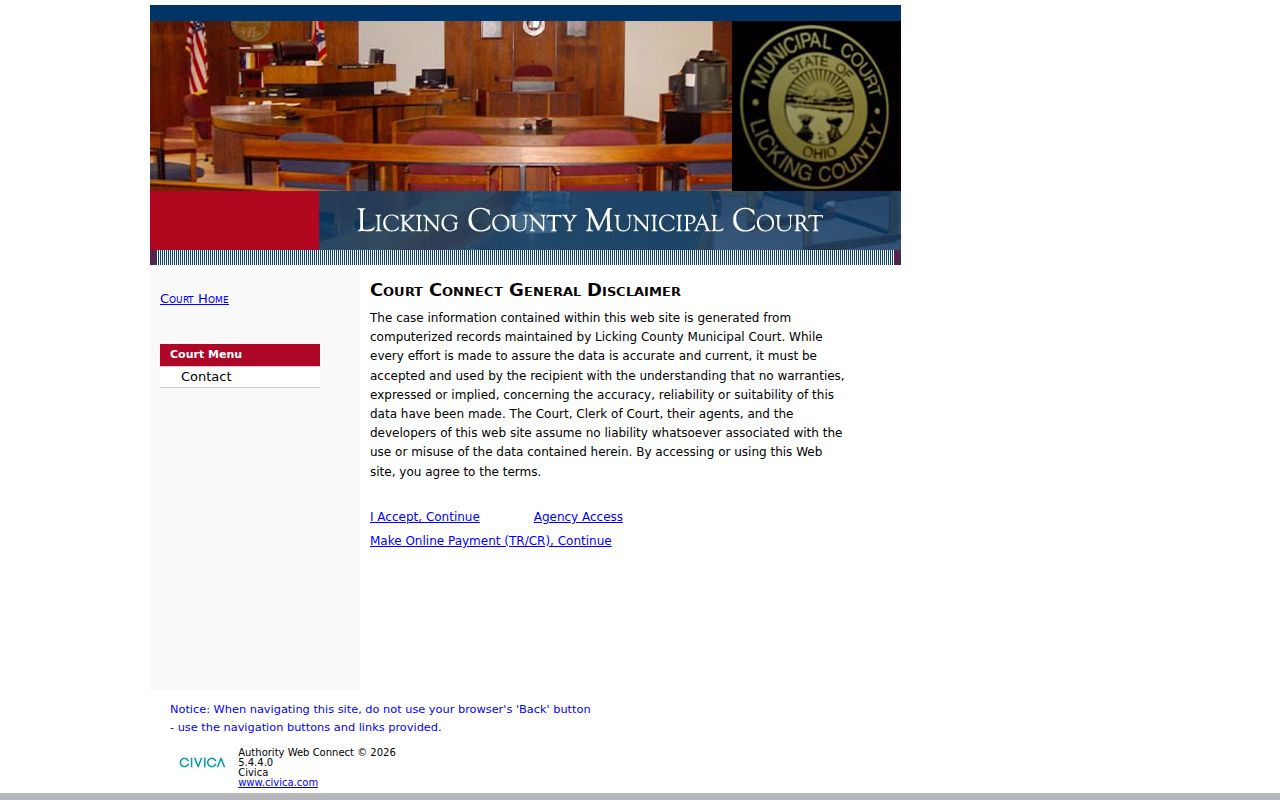
That entry screen is a working access route, not proof of any particular name, number, or filter field. When the live system cannot resolve a case, the Municipal Clerk is the fallback.
County vs Statewide Case Search
Ohio offers no universal public statewide trial-court case search for Licking matters. The county's own court and division channels are the real search layer. Ohio eStats serves up court statistics, not people or cases. The state's Mayor's Court directory helps you identify courts. But it is no substitute for a local case docket.
| Tool | Useful for | Not a substitute for |
|---|---|---|
| Common Pleas remote search | Available General, Domestic, and Fifth District records | All county courts or certified copies |
| Municipal or Mayor’s Court route | Its own local case records | Common Pleas cases |
| Ohio eStats | Court statistical reports | A public case lookup |
| Archives | Pre-1992 historical research | Certified copies |
Why Licking County Searches Miss Cases
A blank screen on a Licking County docket search is rarely the last word. There are a few common reasons behind it. Maybe the case sits in a city Mayor's Court instead. Maybe a fresh Common Pleas filing is still inside its normal update window. Or the record may simply be restricted. The Common Pleas remote system leaves out domestic-violence, criminal, and civil protection orders. An empty result tells you nothing about the status of those case types.
Older files have their own home. County archives holds pre-1992 Clerk of Courts materials and historical docket series. It cannot certify anything, though. For a certified or current record, going straight to the court or clerk is the lawful path.
So check with the court first. Do not guess wider. Confirm the court on your notice, the division, and the case type. Jot down roughly when it was filed. Then ask the right Licking clerk about coverage: whether the web channel covers that category, whether a filing is still awaiting publication, or whether another court holds the record. The Common Pleas landing page warns that maintenance and outages can disrupt remote availability too. Treat a no-result screen as a prompt to verify the channel. Never treat it as a conclusion about the case itself.
Restricted Cases and Access Rules
Ohio's court-record access rules come from Sup.R. 44 through 47. Sup.R. 45 starts with a presumption of public access. But it allows direct access and remote access to differ. Personal identifiers, sealed matters, confidential juvenile files, and listed sensitive domestic and probate material can all be withheld or redacted. The Common Pleas remote portal also leaves protection orders outside its published scope. Under R.C. 2303.901, those exclusions are spelled out directly. The definition of Common Pleas case documents is there too.
When a category is restricted, do not guess. Ask the correct court or clerk about lawful access instead.
Remember that a remote display can be narrower. In person at the courthouse, you could see more. The Licking clerk expressly excludes domestic-violence, criminal, and civil protection orders from the remote portal. Probate and Juvenile carry their own restrictions. Some files need special handling. A juvenile case, an adoption, a protection order, or a sealed file should never be pushed through a general public case lookup. The named court is the only reliable contact for access questions.
Pataskala Licking County Case Lookup Fields
Pataskala runs its own Mayor's Court docket search, and it covers cases filed on or after January 2, 2009. The search fields are simple. You can search by first and last name, case number, case type, ticket number, date of offense, and court date. Results show those same party fields plus the ticket number, offense date, and court date. The page posts a last-upload notation.
Stick with the Pataskala route for an eligible city case. Nothing there? Call the Mayor's Court Clerk at 740-927-3361 or visit the City Hall office. That fallback beats any statewide search, which does not exist anyway.
Other cities work differently. Granville and Reynoldsburg use their own channels, and Municipal Court has its separate Civica entry. A city ticket should never be rerouted to Common Pleas just because it arose in Licking County. The court named on the notice is the best identifier. Use it for any local case lookup.
Pataskala posts a last-upload statement. Read the search as a dated public record channel. When timing matters, the clerk can confirm whether a case is in the current docket. After a result appears, use the newest case entry as your status reference. A payment page may not answer the current court question. An older row may not either.